Logo
The mark is a slim compass needle split lengthwise into two tones, set in a graphite tile. The wordmark is set in Sora. Use these files as they are.
-
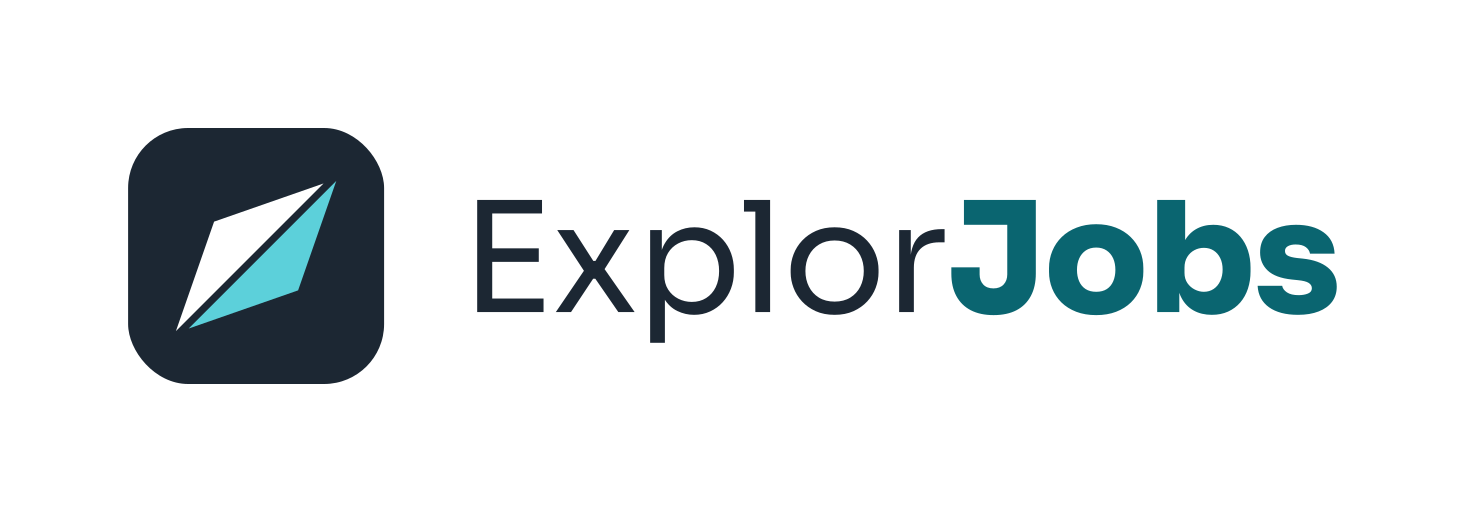
Full logo, light background
On a white background. Ready to place on light pages and documents.
SVG of full logo, light background PNG 1500 px of full logo, light background, 300 DPI PDF of full logo, light background
-

Full logo, dark background
On a graphite background. Ready to place on dark pages and slides.
SVG of full logo, dark background PNG 1500 px of full logo, dark background, 300 DPI PDF of full logo, dark background
-

Full logo, transparent
No background, so you can place it on any light surface.
SVG of full logo, transparent PNG 1500 px of full logo, transparent, 300 DPI PDF of full logo, transparent
-
Mark only
For app icons, avatars and other small square spaces.
SVG of mark only PNG 1500 px of mark only, 300 DPI PDF of mark only
-

One colour, black
Single-colour print jobs, stamps and fax-style forms.
SVG of one colour, black PNG 1500 px of one colour, black, 300 DPI PDF of one colour, black
-

One colour, white
For photos and dark single-colour surfaces.
SVG of one colour, white PNG 1500 px of one colour, white, 300 DPI PDF of one colour, white





PNG files are 1500 x 1500 px at 300 DPI, so they print sharp up to 5 x 5 inches. PDF and SVG files are vector and scale to any size.
-
Clear space
Keep a margin around the logo equal to half the height of the mark. Nothing else goes inside it: no text, edges or other logos.
-
Minimum size
Do not show the full logo narrower than 120 px, or the mark smaller than 24 px. Below that the wordmark and the split needle blur together.
Full logo: 120 px wide Mark: 24 px
Do and don't
Do
- Use the files from this page without changes.
- Use the light logo on light backgrounds and the dark logo on dark ones.
- Leave the clear space on every side.
- Scale the logo up or down in proportion, keeping the original shape.
Don't
- Recolour it. Keep the graphite tile, white half and aqua half.
- Stretch or squash it. Always scale width and height together.
- Add effects. No shadows, glows, outlines or gradients.
- Rotate or tilt it. The needle always points to the top right.
Colours
Graphite and teal. Select a swatch to copy its HEX code.
Brand
-
Primary
Buttons, links and key highlights on light backgrounds
- HEX
- #0B7480
- RGB
- 11, 116, 128
-
Primary hover
Hover and pressed state of primary buttons
- HEX
- #095F69
- RGB
- 9, 95, 105
-
Primary text
Teal text and links on light backgrounds
- HEX
- #0A6570
- RGB
- 10, 101, 112
-
Needle aqua
The aqua half of the logo mark; primary on dark backgrounds
- HEX
- #5CD0DA
- RGB
- 92, 208, 218
-
Accent
Tiny highlights only, such as a "Featured" tag
- HEX
- #F5C84B
- RGB
- 245, 200, 75
Light theme
-
Page
Page background
- HEX
- #F3F6F8
- RGB
- 243, 246, 248
-
Surface
Cards and panels
- HEX
- #FFFFFF
- RGB
- 255, 255, 255
-
Graphite
Text and the logo tile
- HEX
- #1C2733
- RGB
- 28, 39, 51
-
Muted
Secondary text
- HEX
- #4B5A68
- RGB
- 75, 90, 104
-
Border
Dividers and card outlines
- HEX
- #D3DBE2
- RGB
- 211, 219, 226
Dark theme
-
Page, dark
Dark band and hero background
- HEX
- #0E161D
- RGB
- 14, 22, 29
-
Surface, dark
Cards on dark bands
- HEX
- #16212B
- RGB
- 22, 33, 43
-
Text, dark
Text on dark backgrounds
- HEX
- #E9EFF3
- RGB
- 233, 239, 243
-
Muted, dark
Secondary text on dark backgrounds
- HEX
- #A9B6C1
- RGB
- 169, 182, 193
-
Border, dark
Dividers on dark backgrounds
- HEX
- #2A3946
- RGB
- 42, 57, 70
Status
-
Success
Confirmed, verified, done
- HEX
- #17703F
- RGB
- 23, 112, 63
-
Warning
Needs attention, sample data
- HEX
- #8A5300
- RGB
- 138, 83, 0
-
Error
Something went wrong
- HEX
- #B42318
- RGB
- 180, 35, 24
-
Info
Neutral notices
- HEX
- #3B6A8F
- RGB
- 59, 106, 143
Typography
Two typefaces run the site. A third is used only for the wordmark. All three are free on Google Fonts.
-
Plus Jakarta Sans
Headings. Semibold 600 and extra bold 800.
View on Google Fonts (opens in a new tab) -
Nunito Sans
Body text, buttons and labels. Regular 400, medium 500, semibold 600 and bold 700.
View on Google Fonts (opens in a new tab) -
Sora
The wordmark only. Regular 400 for "Explor", extra bold 800 for "Jobs". Do not use it for headings or body text.
View on Google Fonts (opens in a new tab)
Name and writing rules
How to write about ExplorJobs, in headlines, articles and job posts.
The name
- Write
- ExplorJobs
- Not
- Explore Jobs
- Not
- Explorjobs
One word, with a capital E and a capital J. Our domain is explorjobs.com, written in lower case.
Our audiences
Call them Job seekers, Employers and Recruiters. Use these three labels in menus, headings and page names.
Spelling
Write "resume" with no accent marks. Write OPEN2WORK in capital letters. It is the name of the mode in the AI Job Assistant.
Style
Use sentence case in headings: "Find work that fits", not "Find Work That Fits". Do not name competitors in anything that carries the ExplorJobs name.
The company
ExplorJobs is run by Pillai InfoTech LLP. Use the full name, Pillai InfoTech LLP, when you refer to the company.
Brand and press questions
Need a file in another format, or want to check how you plan to use the logo? Write to us.